
diff options
| author | Christian Kolset <christian.kolset@gmail.com> | 2025-02-14 01:07:58 -0700 |
|---|---|---|
| committer | Christian Kolset <christian.kolset@gmail.com> | 2025-02-14 01:07:58 -0700 |
| commit | a436e8517853231126bdb6825a98980d083cc14e (patch) | |
| tree | b58653969e9a8937ac95586bac94e6e9e40a46f9 /tutorials/1_04_spyder_getting_started.md | |
| parent | d6f14bd75a694c1b6ed30e3ec2482503e656857e (diff) | |
Updated tutorials
Diffstat (limited to 'tutorials/1_04_spyder_getting_started.md')
| -rw-r--r-- | tutorials/1_04_spyder_getting_started.md | 2 |
1 files changed, 1 insertions, 1 deletions
diff --git a/tutorials/1_04_spyder_getting_started.md b/tutorials/1_04_spyder_getting_started.md index 03b7fd3..08cbde9 100644 --- a/tutorials/1_04_spyder_getting_started.md +++ b/tutorials/1_04_spyder_getting_started.md @@ -9,7 +9,7 @@ Using Anaconda we will select the environment we created earlier *spyder-dev*. ## Spyder Interface - +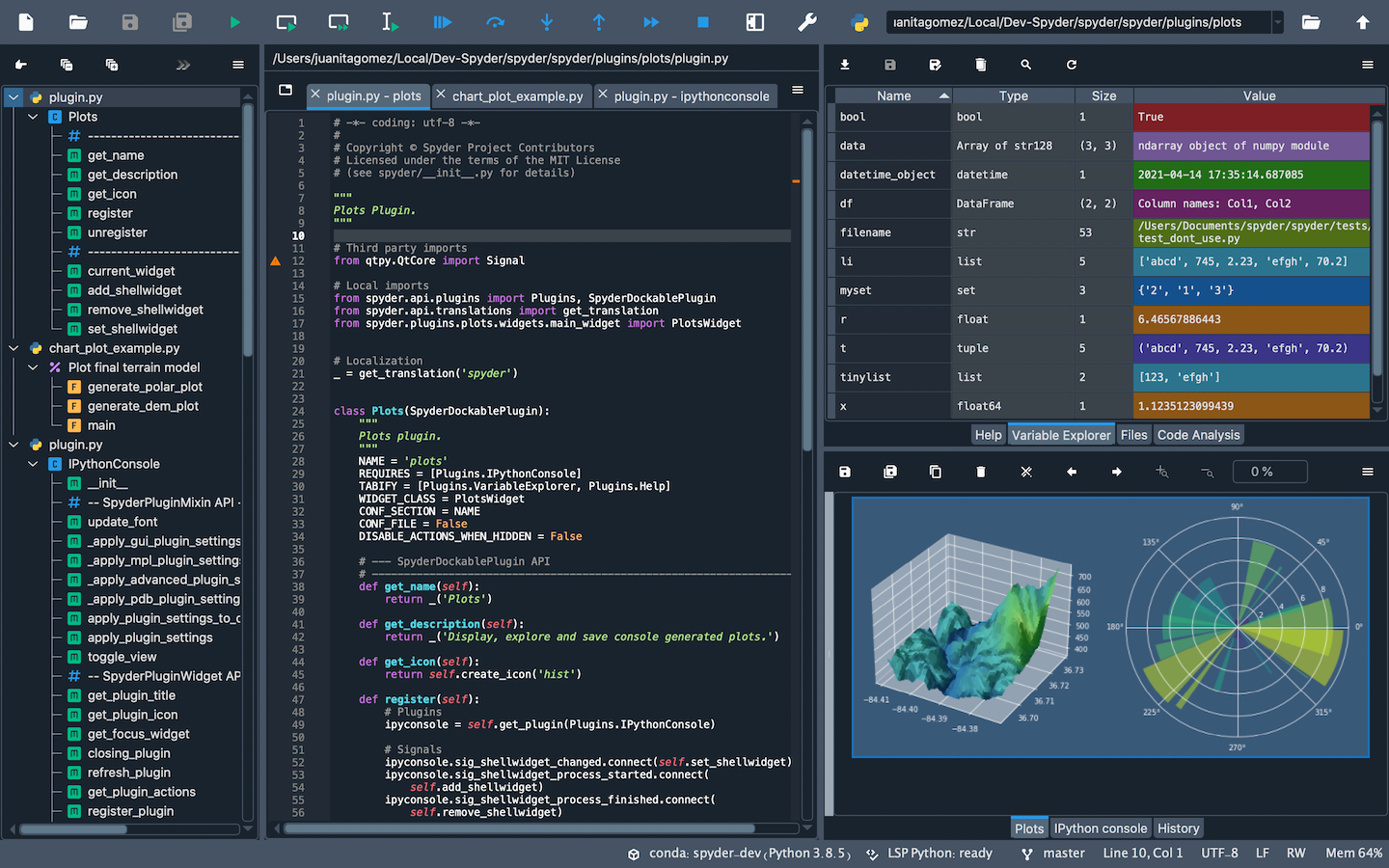 Once you open up Spyder in it's default configuration, you'll see three sections; the editor IPython Console, Help viewer. You can customize the interface to suit your prefference and needs some of which include, rearrange, undock, hide panes. Feel free to set up Spyder as you like. |